![kb_logo.svg]](https://www.talentdesk.io/hubfs/kb_logo.svg)
How It Works
This feature is controlled by a permission setting that the Organisation Owner can enable or disable at any time.
Step 1 — Enable the setting
Navigate to Settings > Team & Security and toggle on "Allow Managers to apply default rate changes to existing tasks".
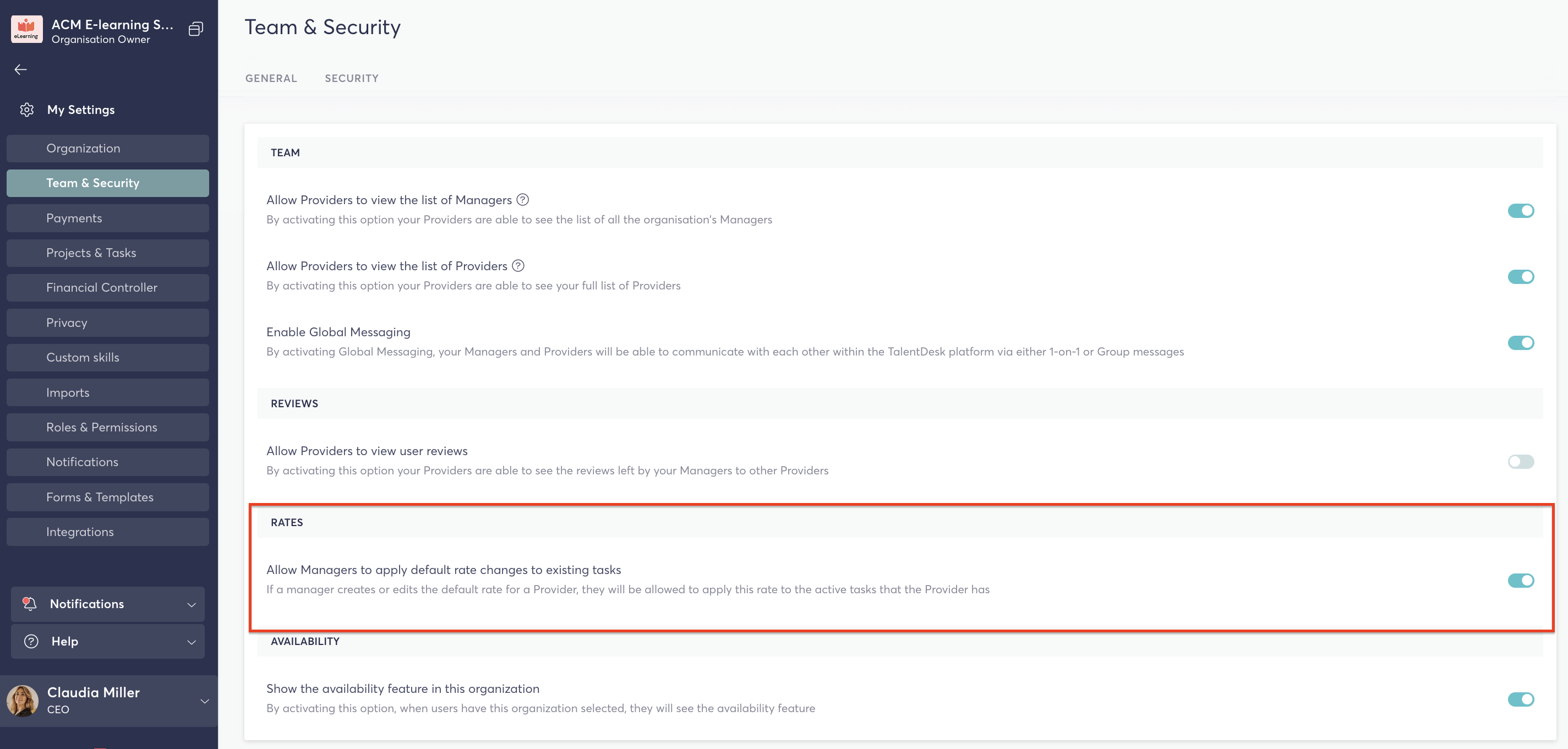
Once enabled, managers in your organisation will have the ability to propagate rate changes beyond just future tasks.
Step 2 — Update a provider's default rate
When a manager updates a provider's default rate (either by changing an existing rate or assigning a new one), TalentDesk will automatically check whether that provider has any pending or accepted task assignments.
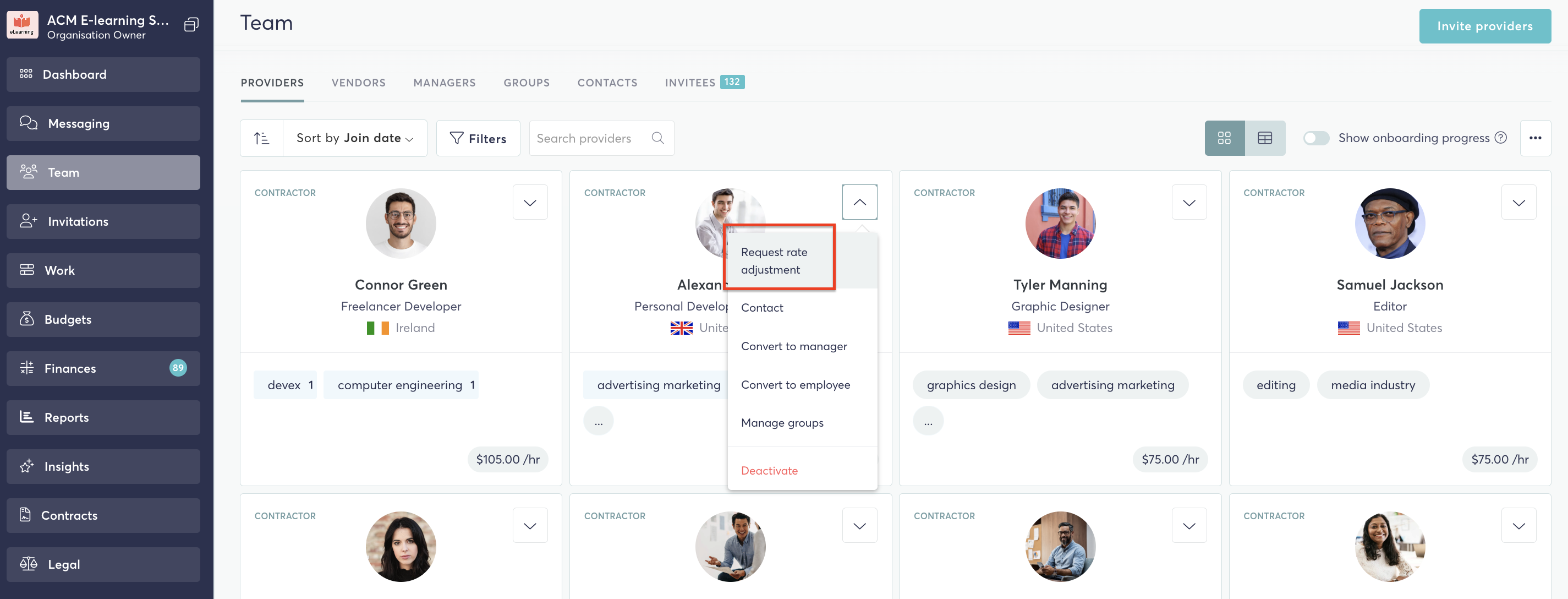
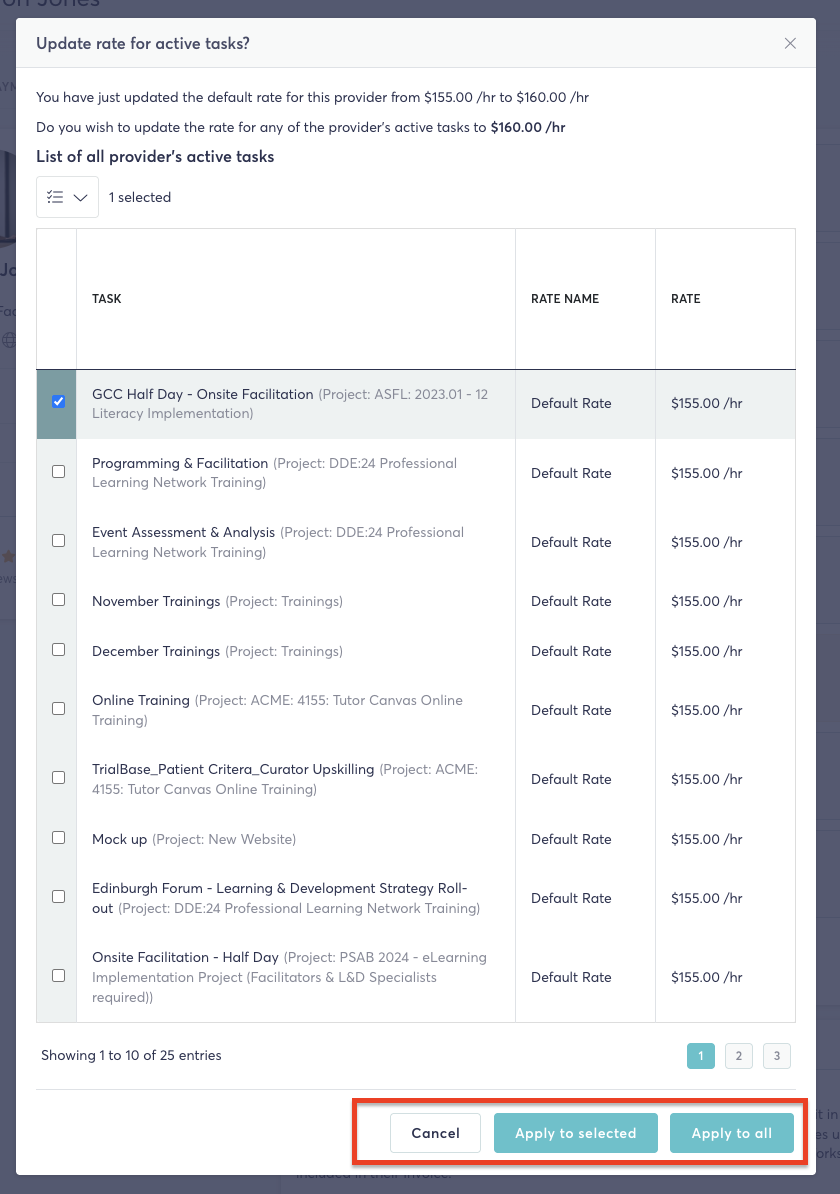
If existing task assignments are found, a prompt will appear giving the manager a choice of how to apply the rate change.
Step 3 — Choose how to apply the change
The manager will be presented with the following options:
- Apply to selected— Updates the rate on only selected task assignments
- Apply to all — Updates the rate across all current active task assignments for that provider
- Do not apply (Cancel) — The default rate is updated on the provider's profile only, with no changes made to current task assignments.
Things to Know
- This setting is off by default — the Organisation Owner must enable it before managers can use it.
- Only tasks with a pending or accepted status are eligible for rate updates. Tasks that are already completed or have approved worksheets will not be affected.
- Managers will always be shown a confirmation prompt before any changes are applied — nothing is updated automatically without their input.
- This feature applies to individual provider rates, not vendor/organisation-level rates.
Who Can Use This?
| Role | Capability |
|---|---|
| Organisation Owner | Enable/disable the setting in General Settings |
| Manager | Update provider rates and choose how changes are applied |
| Provider | No action required — rate changes are managed by the organisation |