![kb_logo.svg]](https://www.talentdesk.io/hubfs/kb_logo.svg)
Who Can Set Up SSO?
SSO is managed by users who have the "Can manage organization settings" permission. If you're unsure whether you have this permission, check with your TalentDesk account administrator.
Enabling SSO for Your Organisation
- Go to Settings → Team & Security → SECURITY
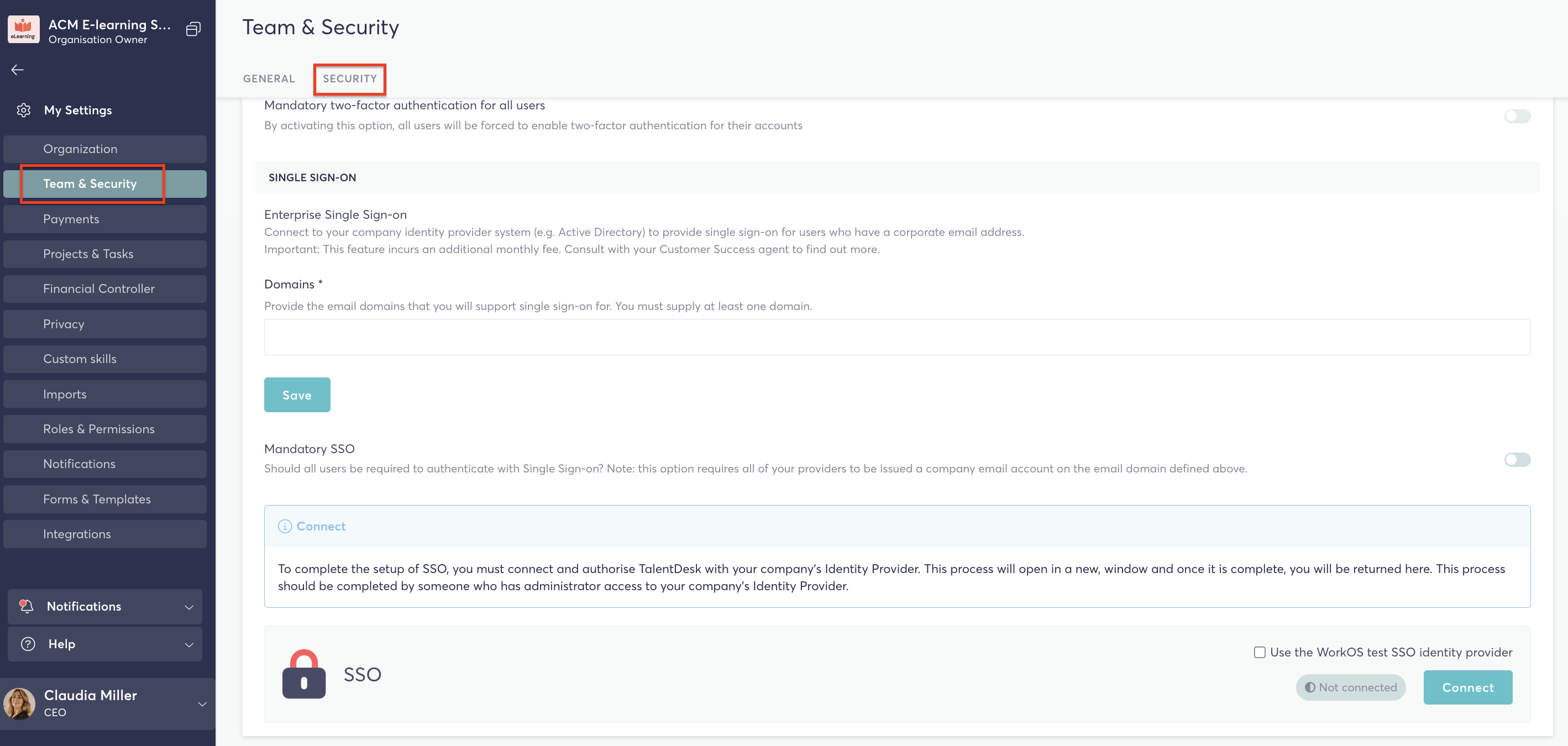
2. Enter at least one valid email domain for your organisation (e.g. yourcompany.com). This ensures only users with that domain can authenticate via SSO.
3. Choose your SSO mode:
-
- Mixed mode – Users can choose to log in with either SSO or their email and password
- Mandatory SSO – All users in your organisation are required to sign in using SSO (recommended for stronger security)
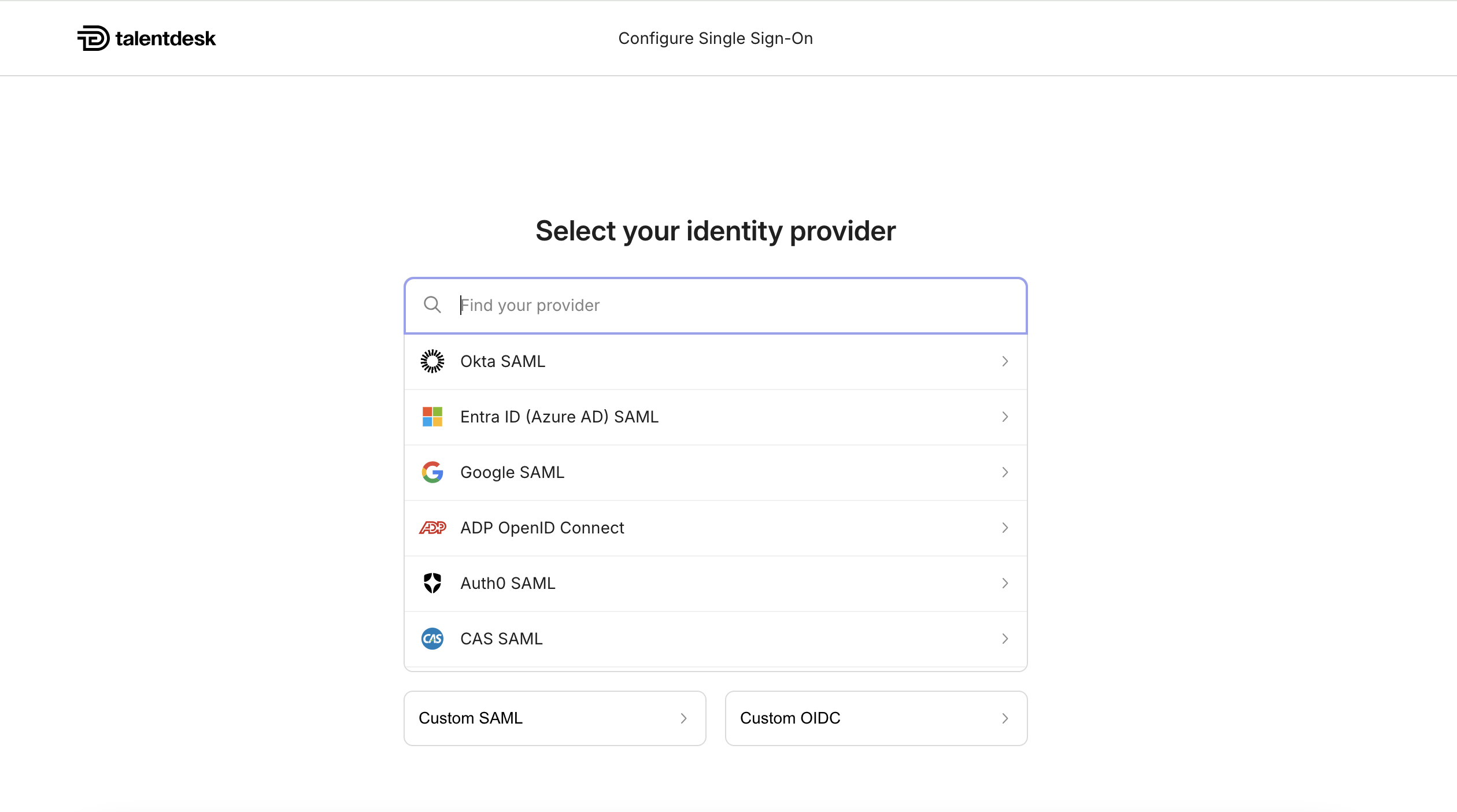
4. Click Connect. You will be taken to our SSO configuration portal where you can
connect your preferred identity provider(s)
Managing SSO
Once SSO is enabled, you can return to Settings → Single Sign-On (SSO) at any time to:
- Update your email domains — add or remove domains associated with SSO
- Switch between Mixed and Mandatory SSO modes
- Open the SSO configuration portal — to update or change your identity provider settings
- Disable SSO — this will revert all users back to email and password login
How Logging In Works
When SSO is enabled for your organisation, the login experience is as follows:
- The user visits the TalentDesk login page and enters their email address
- TalentDesk recognises their domain and automatically presents the "Log in with SSO" option
- The user is redirected to your organisation's identity provider to authenticate
- Once authenticated, they are redirected back to TalentDesk and logged in automatically
💡 If a user's email domain isn't associated with SSO, they'll see the standard password login instead.
If you have any questions or need further support please reach out to the TalentDesk Support Team at support@Talentdesk.io.